


WHAT IS MATTERPORT
Scan a space. Upload to the cloud. Embed it anywhere.
That's the surface.
Underneath, Matterport is a structured spatial data platform - photorealistic capture, cloud hosting, user management, enterprise security, and a fully programmable SDK. All from a single scan.
It is not a viewer. It doesn't run on someone's laptop. It's managed 3D infrastructure - independent of individuals, scalable across organisations, open to integration.
We deploy it. We run it. We extend it where Matterport's own interface stops. We handle every step: capture, post-production, hosting, integration.
From scan to enterprise platform.
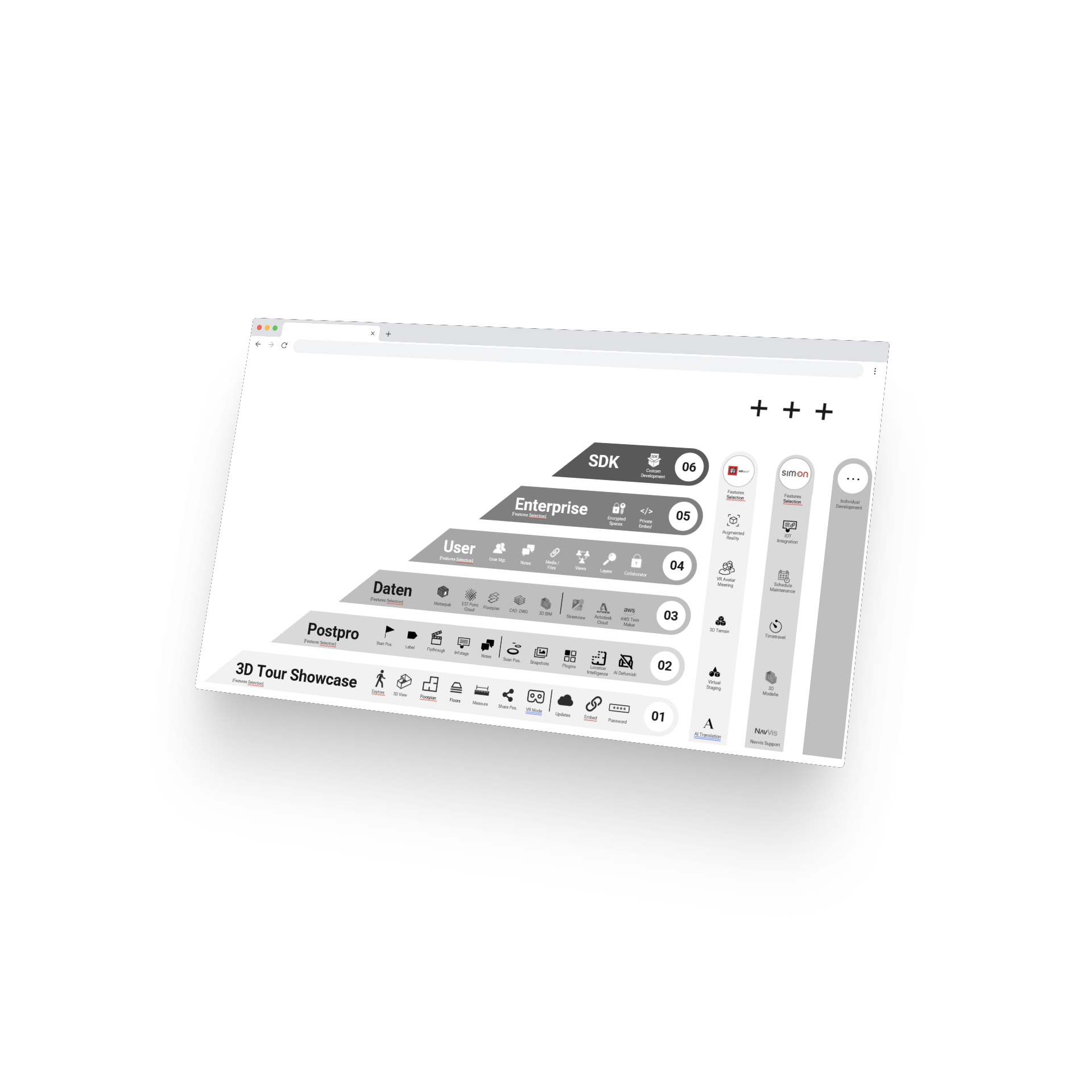
Matterport is not one thing. It's a layered system - six stages of development - one platform.
- Show. A 3D Tour Showcase - live within 24 hours of capture.
- Tell. Mattertags, Flythrough, Plugins - Postproduction tools to tell your story.
- Integrate. Point clouds, CAD, BIM - all Data is accessible - no lock-in.
- Collaborate. Users, roles, views, notes - teams work together one model.
- Secure. Encrypted spaces, private embed - Enterprise security behind your firewall.
- Extend. SDK and API - unlimited possibilities on top of the 3D Tour Standard.
INSIDE THE PLATFORM
What Matterport actually does.
Six stages. Each one adds a new dimension. Click through and see how far Matterport really goes.
1.SHOW
3D Tour Showcase
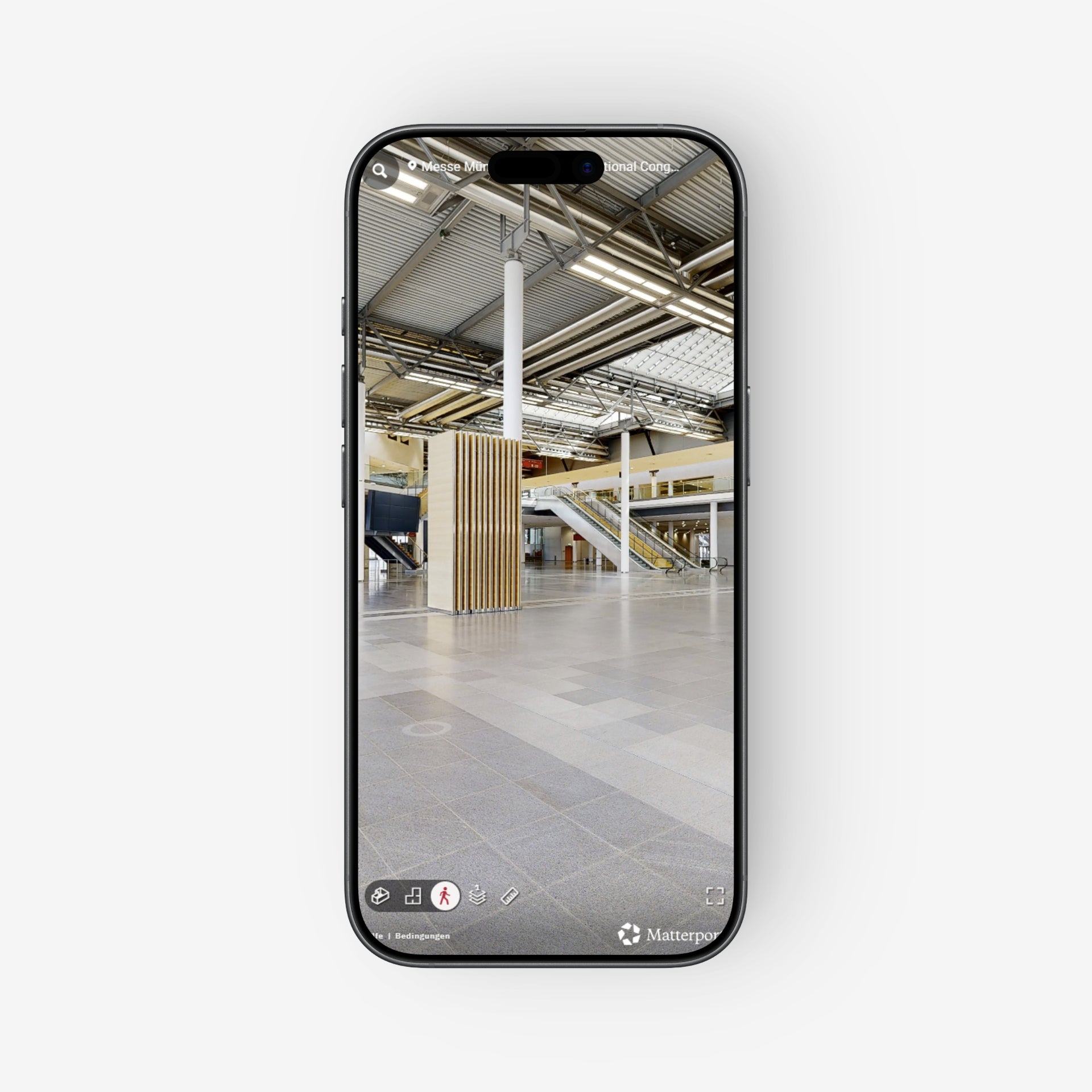
Step inside from any device.
The scan produces a photorealistic, fully navigable 3D model - live within 24 hours.
Smooth Exploration plus Dollhouse, Floorplan, and floor-by-floor navigation included. Plus immersive VR Mode and the ability to take Measurements at any location. Every position shareable via link, embeddable on any website, password-protected if needed. All included in the Basic 3D Tour Scan.
2.TELL
Postproduction
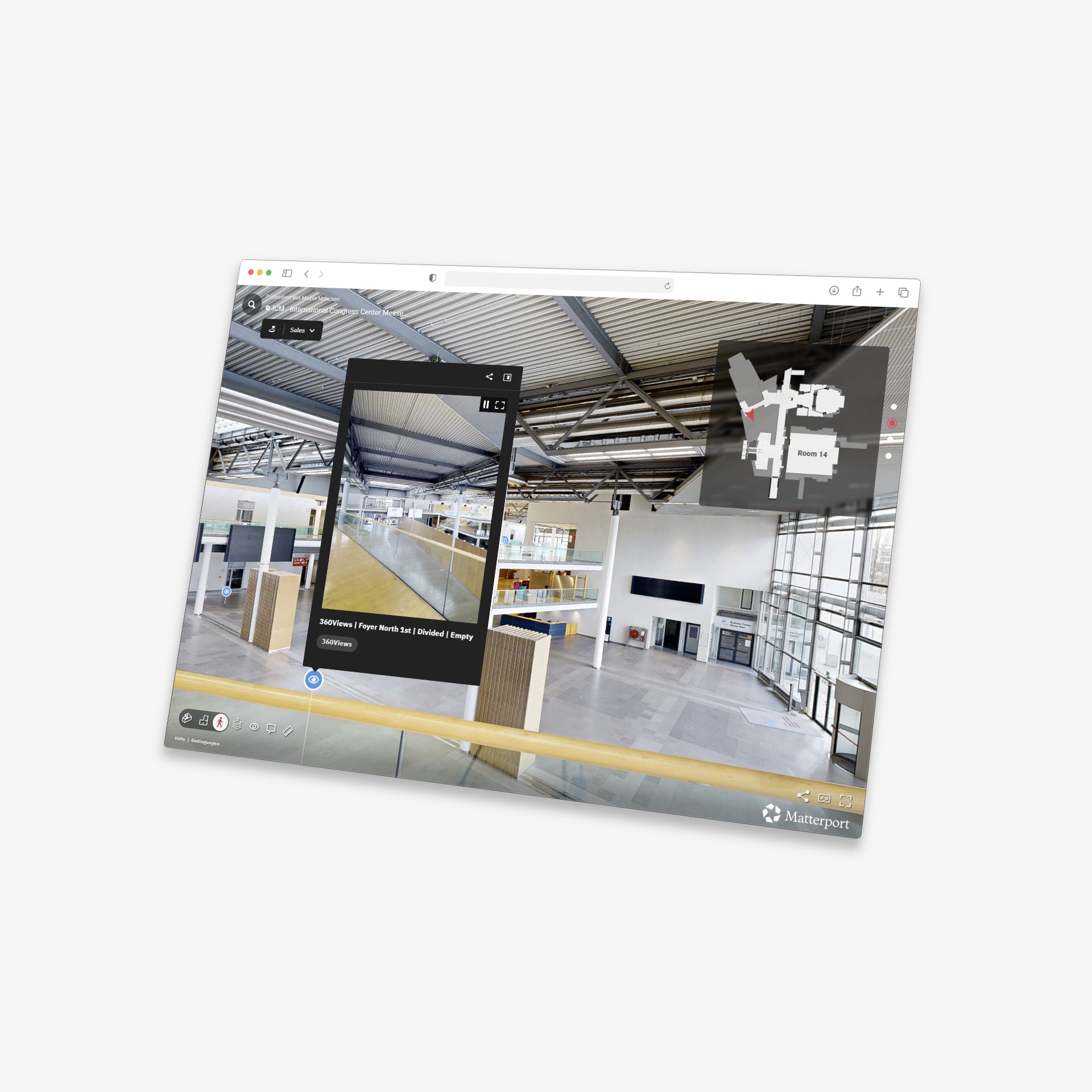
The scan is the raw material. We make it a business tool.
Flythrough and Guided Tour turn the model into a cinematic, narrated experience. Mattertags attach text, images, video, and links to any point in the space - organised in Views and Layers to manage hundreds or thousands of information spots inside a single tour. AI Defurnish, Location Intelligence, and Plugins like the Minimap complete the picture. Everything configured by us after the scan - updatable instantly from the cloud.
3.INTEGRATE
Data & Integrations
One scan. A complete spatial dataset.
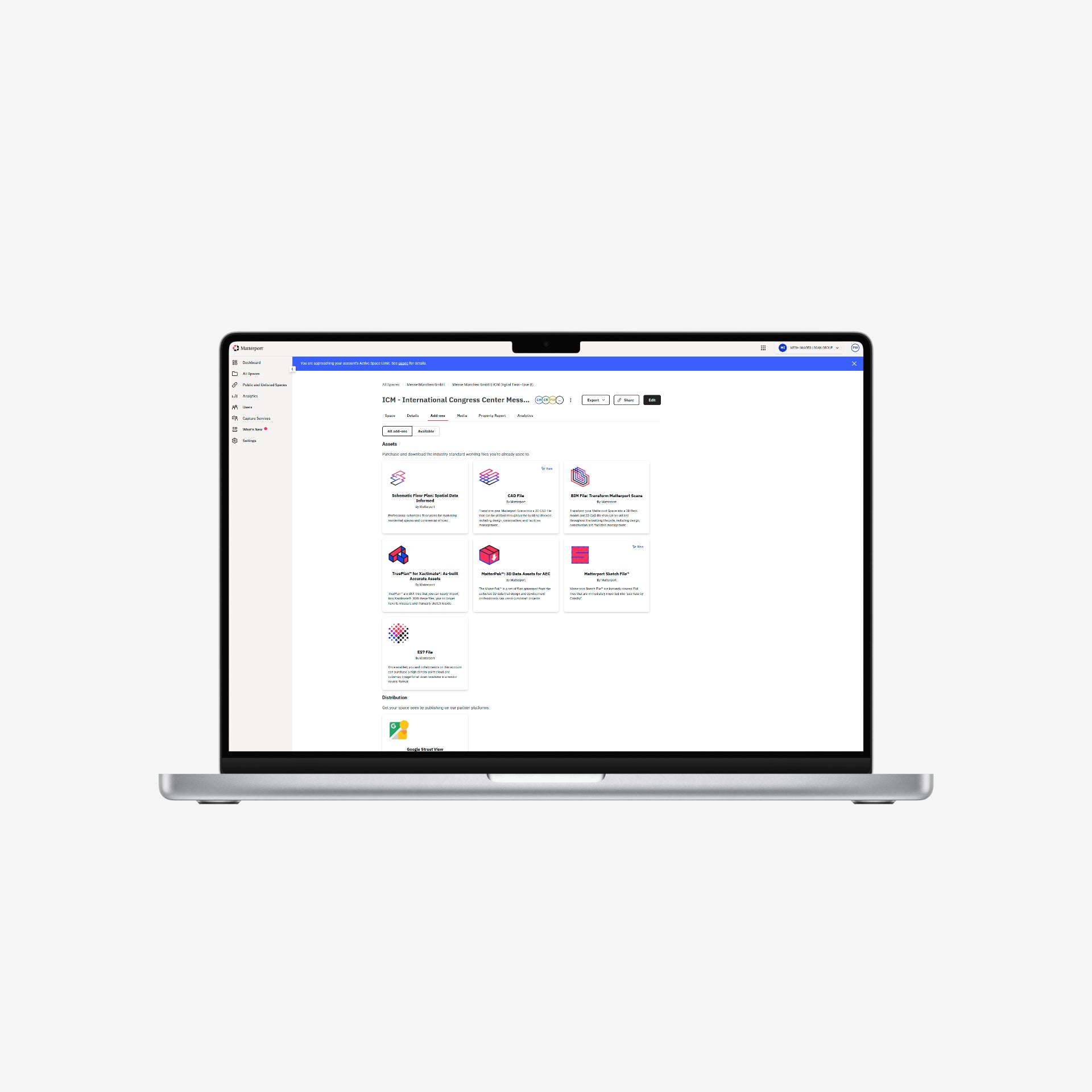
Every Matterport capture produces a full data package in the same session: E57 point cloud, CAD floor plan, Matterpak OBJ, HDR snapshots, and 360 panoramas. 3D BIM model available on demand. Data ready for direct integration into Autodesk Revit, BIM360 and solutions like the AWS IoT TwinMaker.
Your scan. Your data. No lock-in.
4.COLLABORATE
User Management
Multiple teams. One Digital Twin.
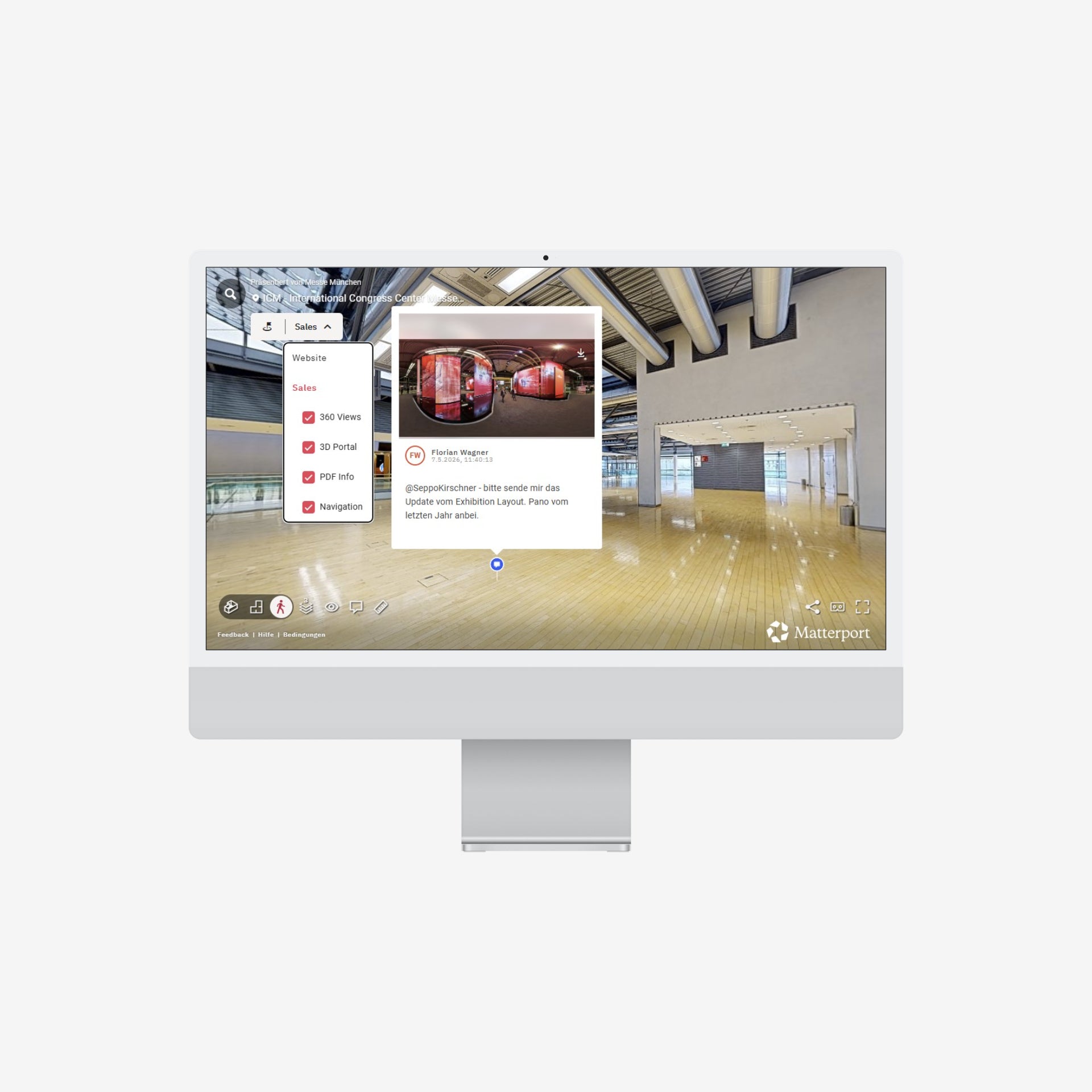
Roles, permissions, and access levels for every stakeholder - internal teams, external planners, clients, contractors. Notes, media files, and tasks attached directly inside the 3D model. Views create up to 10 separate guided experiences within a single space - each with its own information layer, communication, navigation, and access control - for significantly improved collaboration.
5.SECURE
Enterprise Solutions
The 3D model behind your firewall.
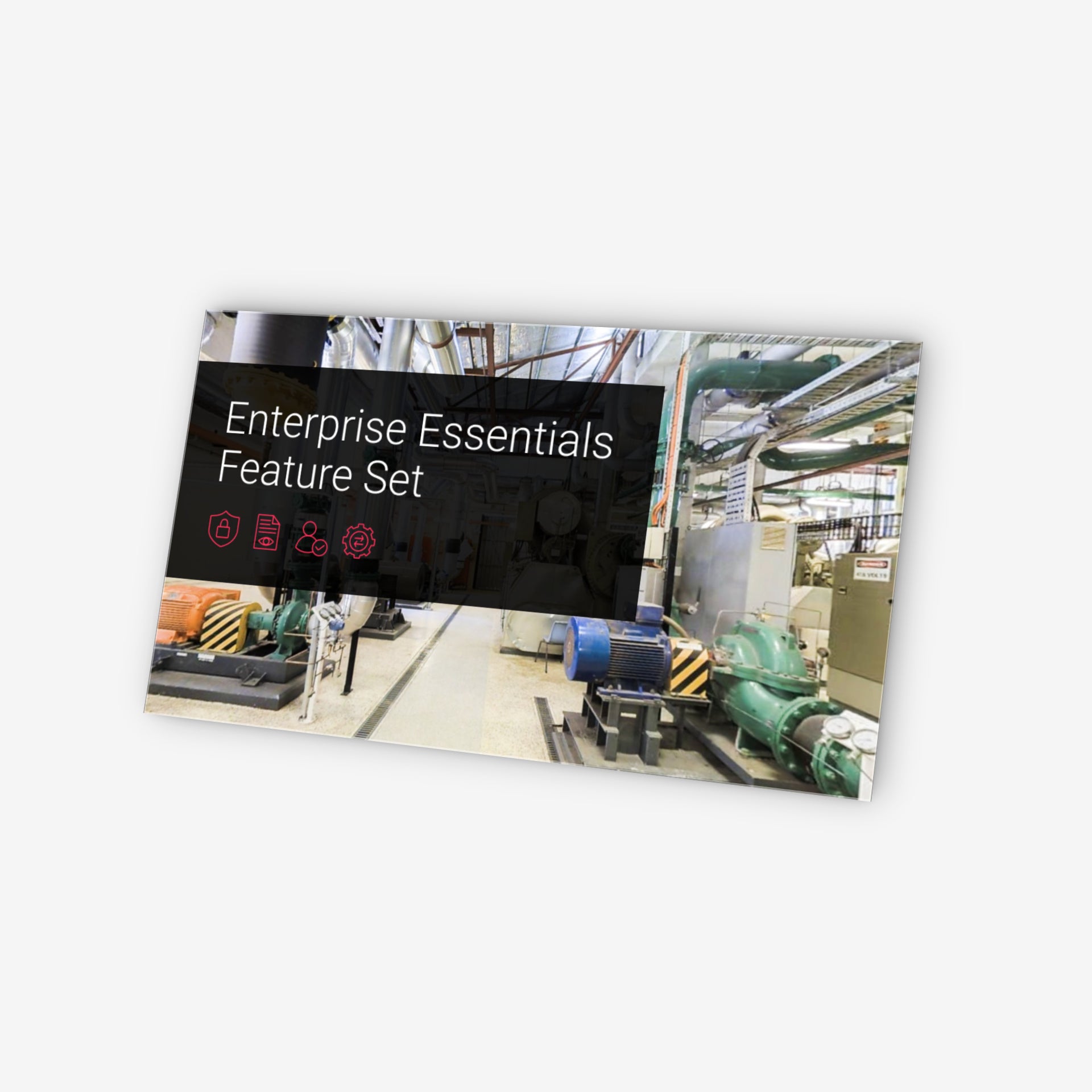
Encrypted private spaces. Private embed - Matterport running inside corporate intranets, invisible to public search engines. Single Sign-On, advanced user administration, and dedicated support for organisations with high security requirements.
For all locations where "publicly accessible" is not an option.
6.EXTEND
SDK & Custom Development
Matterport as a programmable data layer.
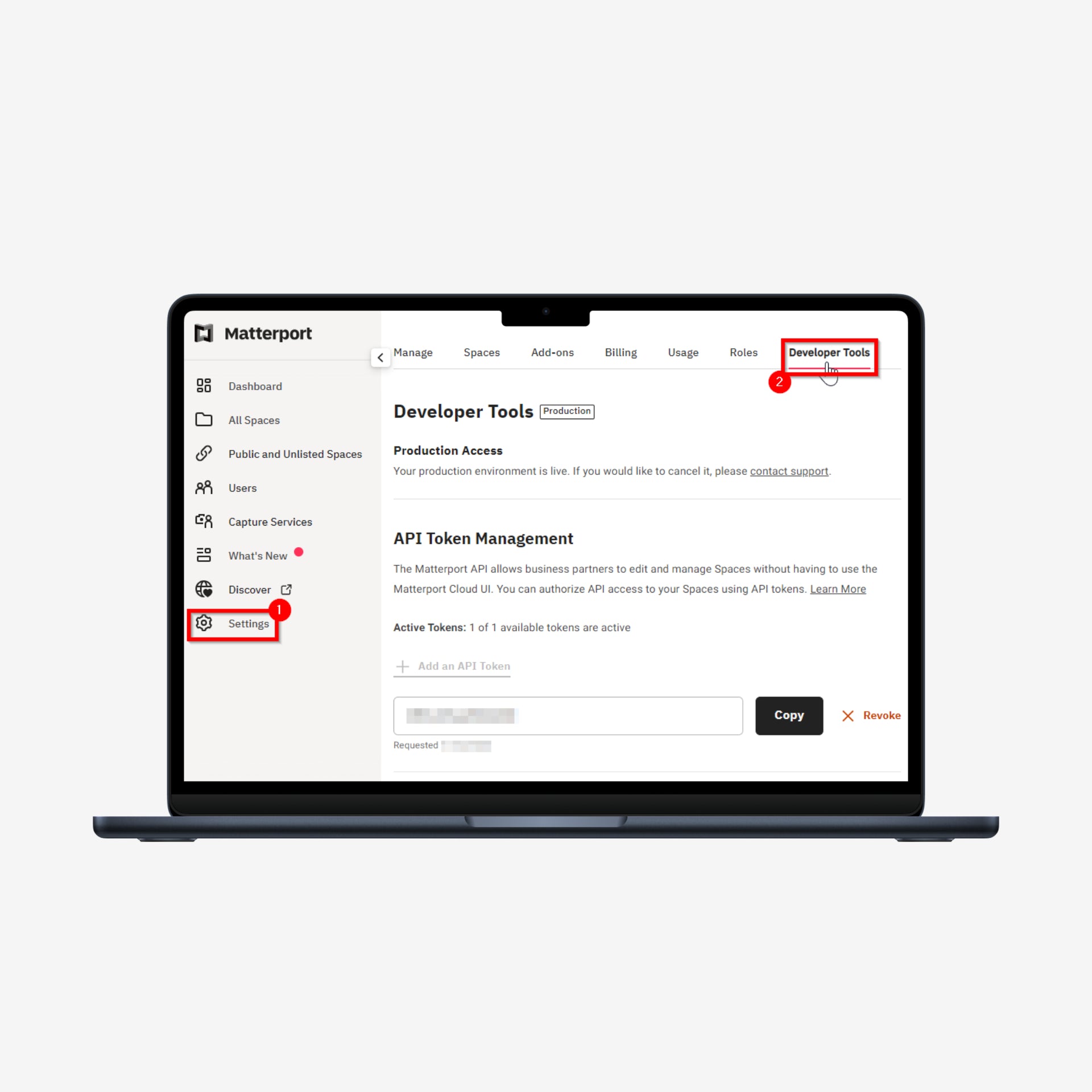
The JavaScript SDK gives full control over the player - custom UI, branded navigation, in-tour events, virtual staging, lead capture, token-based access. The REST API connects spatial data to any CRM, CMS, or third-party system.
MPSkin builds a complete white-label interface on top.
LIVE DEMO
Step Inside.
A real location. A real tour. No login required.
What you're looking at is a live 3D Digital Twin - navigable, measurable, embeddable. The tour runs through MPSkin on our own domain, with consent management active.
FOCUS ON SDK · MPSKIN · EXTENSIONS
One layer extends every stage.
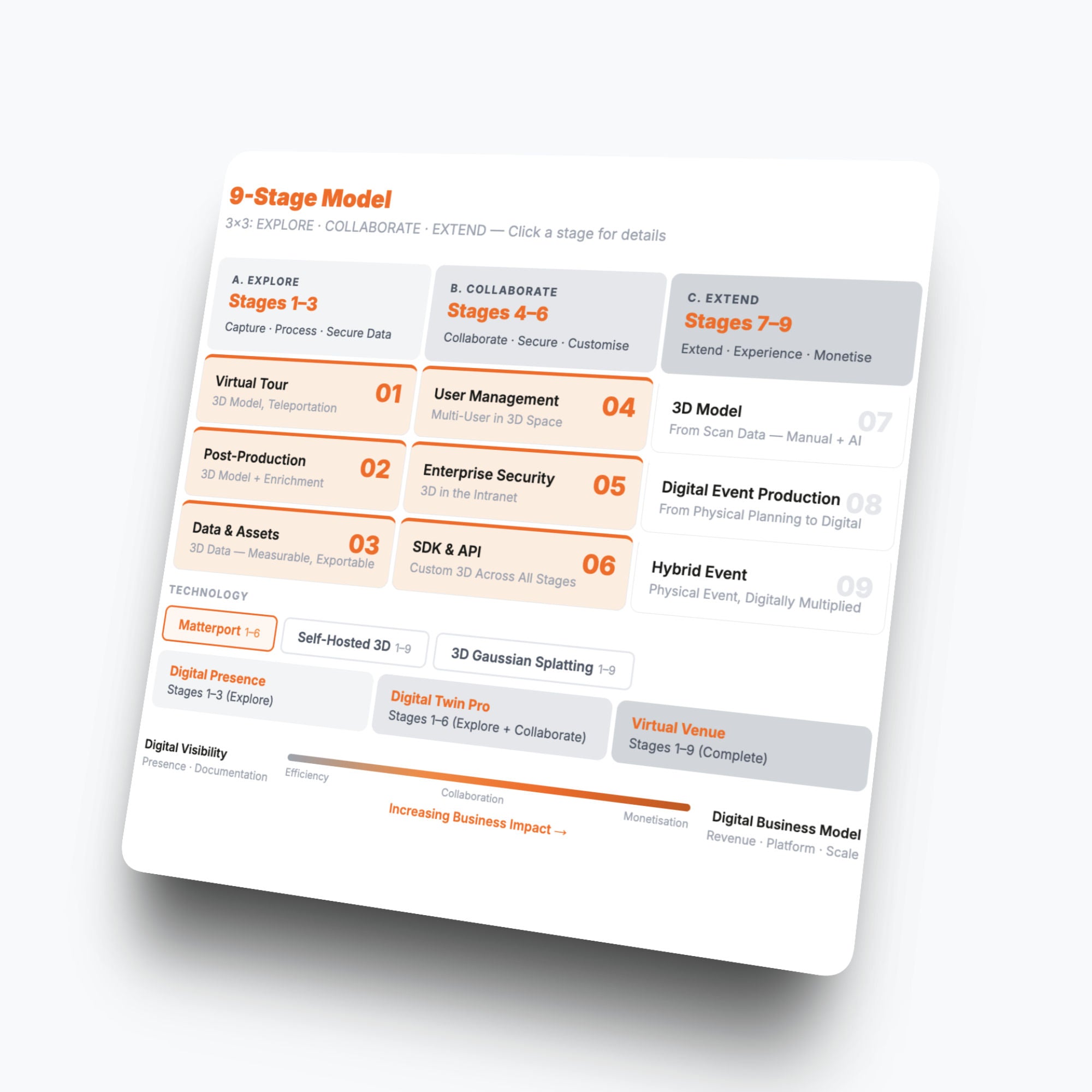
The Stages Pyramid shows what Matterport delivers natively. The SDK is what extends it - at every stage, not just the top. We work in three layers: MPSkin as our default, Established SDK Overlays where they fit, and Custom SDK Code where the use case requires it.
MPSkin
OUR DEFAULT LAYER
The SDK extension layer we deploy on every engagement that requires legal compliance. MPSkin doesn't replace Matterport - it activates capabilities at every level of the model.
1. SHOW · Showcase Player · Fully Multilingual versions.
2. TELL · Postproduction · Navigation menu and wayfinding.
3. INTEGRATE · Data · Virtual staging with external data feed.
4. COLLABORATE · User · Detailed User access controls.
5. SECURE · Enterprise · EU Hosting & Consent Management.
6. EXTEND · SDK · Access the SDK directly with AI Coding
Third-party overlays
SELECTIVELY DEPLOYED
We can integrate more specific tools where the use case calls for them - not as a full stack, only where they earn their place. All of these are also built-on top of the Matterport SDK.
1. Sim-On · IoT layer · Live sensor data inside the model.
2. Simlab Stages · Timetravel · Data Comparison · Notes.
3. MPEmbed · Security Embed · Extended Analytics.
4. WP3D · WordPress-based tour management and features.
5. Show&Tour · Real Estate Landing Pages · Asset Management.
Custom SDK Code
WHEN EXISTING TOOLS STOP
We write directly against the Matterport SDK and API when no off-the-shelf overlay covers the case. The model becomes whatever the operation needs it to be.
1. Live security camera feeds inserted into the tour.
2. Custom hotspot logic and conditional content.
3. Real-time sensor and operational data overlays
4. Bespoke navigation, access flows, and multi-user states
5. Integration with internal CRM, BIM, ticketing, or asset systems
GDPR & COMPLIANCE
Most 3D tours are not compliant - Knowing why matters.
Every embedded 3D tour creates a data transfer the moment a visitor lands on the page - before they click anything, before they consent. German courts have ruled on this since 2022. The liability sits with the location operator, not the platform.
There are four points where a public 3D tour can fail. We address all four - by design, not as an afterthought.
"Data stays in Europe" is a common claim. It solves one of the four risks. Self-hosted tools and Gaussian Splat platforms keep the data on European servers - but they load the full 3D model directly into every visitor's browser, where it is open to any AI agent or scraping tool.
Compliance is not a checkbox. It is an architecture decision made before the scan begins.
Use Cases
Seven industries. One platform.
A 3D Digital Twin is not a product built for one department or one decision. It enters the sales pipeline, the operations workflow, and the client conversation at the same time.
The next seven industries share one condition: they manage spaces that need to be experienced before a commitment is made. We've worked across all of them.
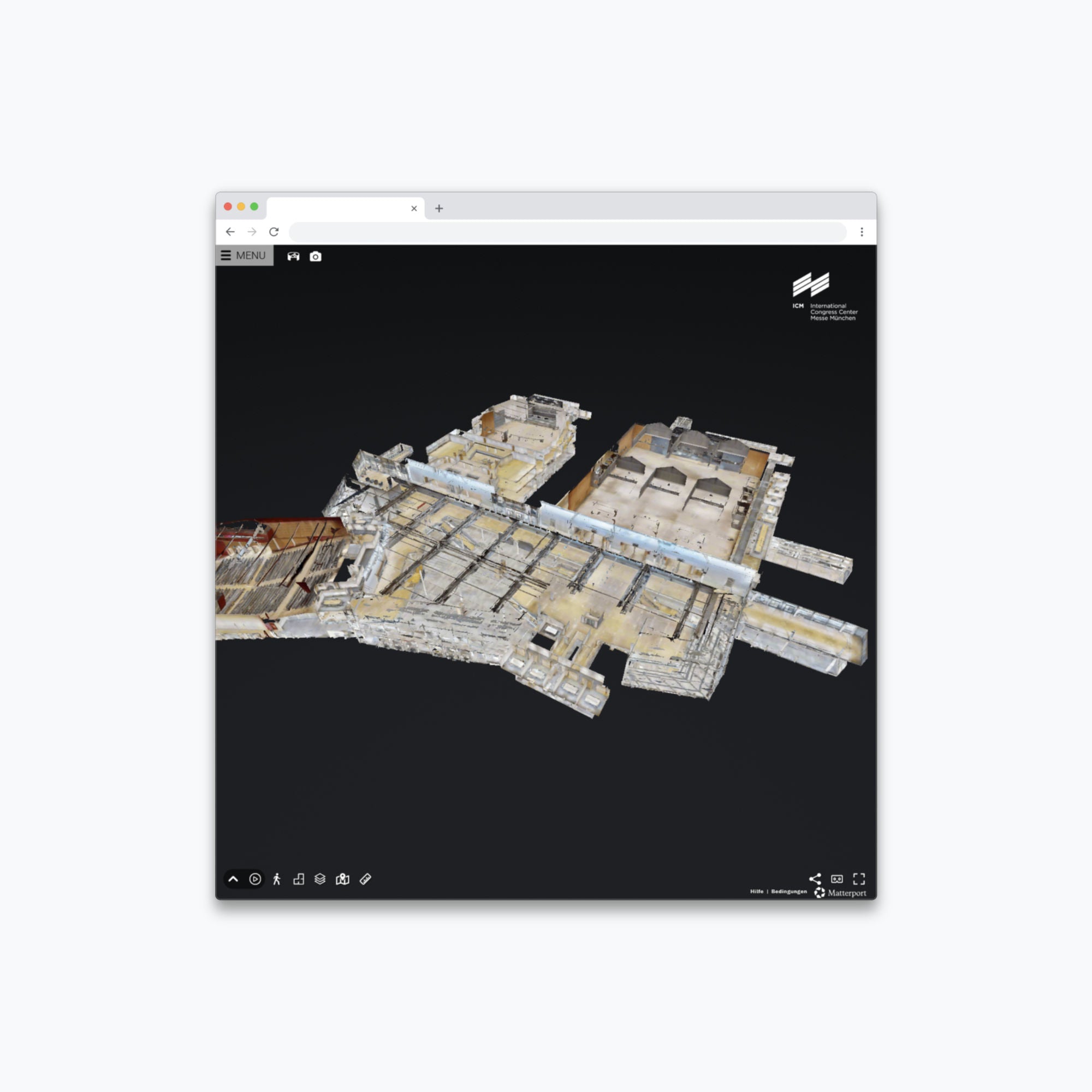
1 · Trade Fairs
The sales deck that walks people through the hall.
Exhibitors sign for floor space they've never stood in. Organizers negotiate configurations across time zones.
A 3D Digital Twin puts the actual hall, the actual ceiling heights, and the actual loading access into a browser window - available before the event date, before the site visit, before the flight is booked.
The asset does the showing. The sales team closes.
2 · Congress Centers
The site inspection that runs at 2 a.m.
PCOs select locations months in advance, often from another country, sometimes from another continent.
Room capacities, breakout configurations, backstage access, catering flow - the questions that normally require a trip now get answered in a tour.
Locations that answer them first tend to get shortlisted first.
3 · ARENAS · STADIUMS · SPORT PARKS
The suite, the stage, the sponsorship wall - one scan.
Hospitality sales, sponsorship activation, and venue operations each need a visual reference - and they rarely share one.
A 3D Digital Twin gives all three the same navigable model. Premium configurations are showable before construction. Activation zones become spatially specific. Operations plans without scheduling a site visit.
One asset. Three conversations.
4 · EXHIBITIONS · BRAND SPACES
Temporary in the room. Documented to last.
Trade fair stands, temporary brand installations, and art exhibitions exist for a narrow window of time.
A 3D scan made at peak build preserves the space in its intended form - spatially accurate, navigable, available as a digital archive, a pitch asset for the next edition, or a handover document for the team that follows.
The installation closes. The record stays open.
5 · CORPORATE REAL ESTATE · FACILITIES MANAGEMENT
The last renovation changed everything. The drawing didn't.
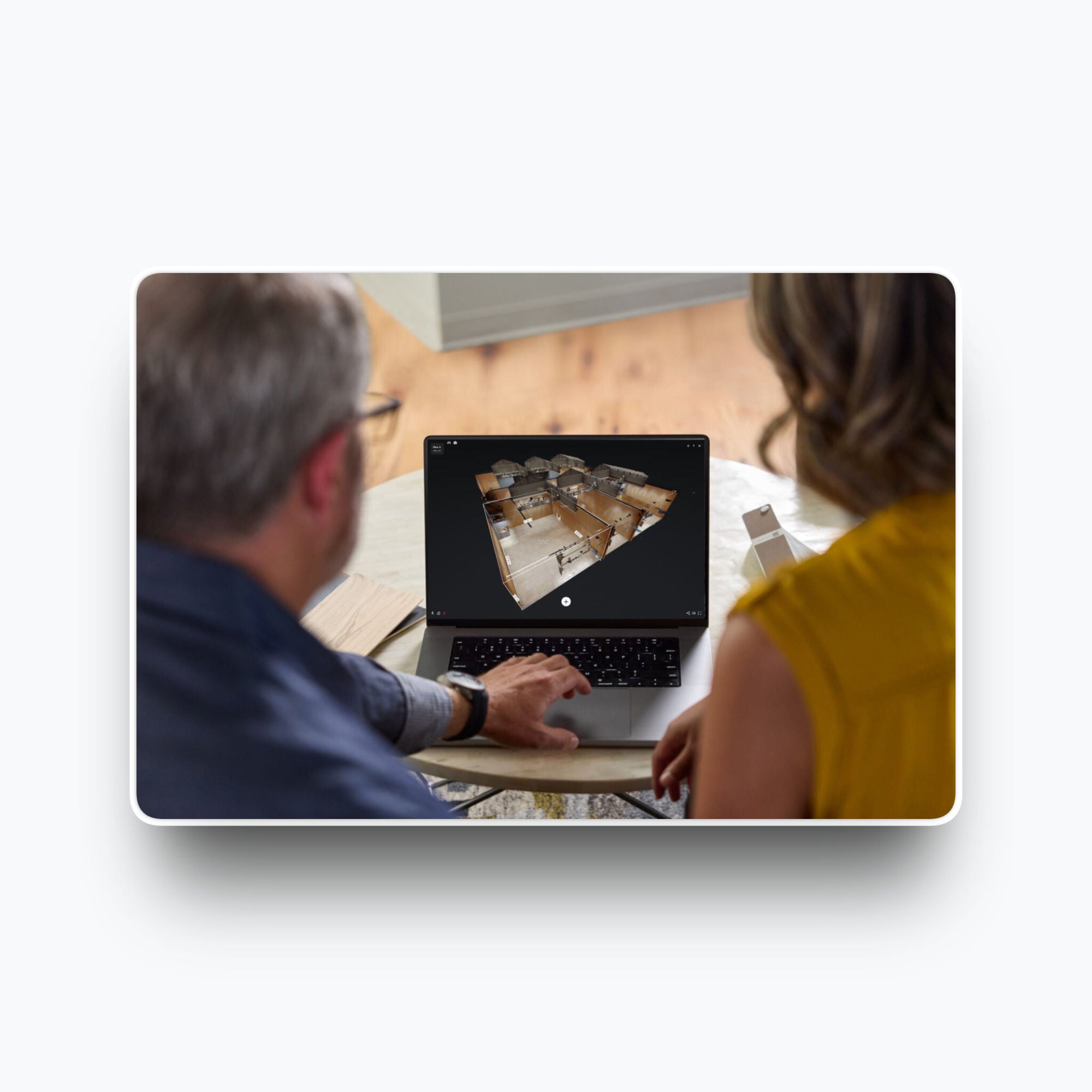
Facility managers operate buildings their teams haven't fully walked. Contractors quote from plans that no longer match what's on site.
A 3D Digital Twin replaces static drawings with a navigable reference that reflects the building as it actually exists - equipment positions, clearances, and room configurations included.
Vendors brief remotely. New hires orient themselves on day one. The model updates when the building does.
6 · PREMIUM REAL ESTATE · MULTI-FAMILY
Tenants sign before they fly in.
International tenants, relocating executives, and institutional investors make decisions at a distance.
A 3D Tour replaces the viewing appointment - not as a placeholder, but as a complete spatial experience that allows measurement, room assessment, and commitment.
Operators with multiple properties use it to maintain a consistent presentation standard across their entire portfolio.
07 · CULTURAL HERITAGE · PUBLIC LOCATIONS
Open three days a week. Accessible every day of the year.
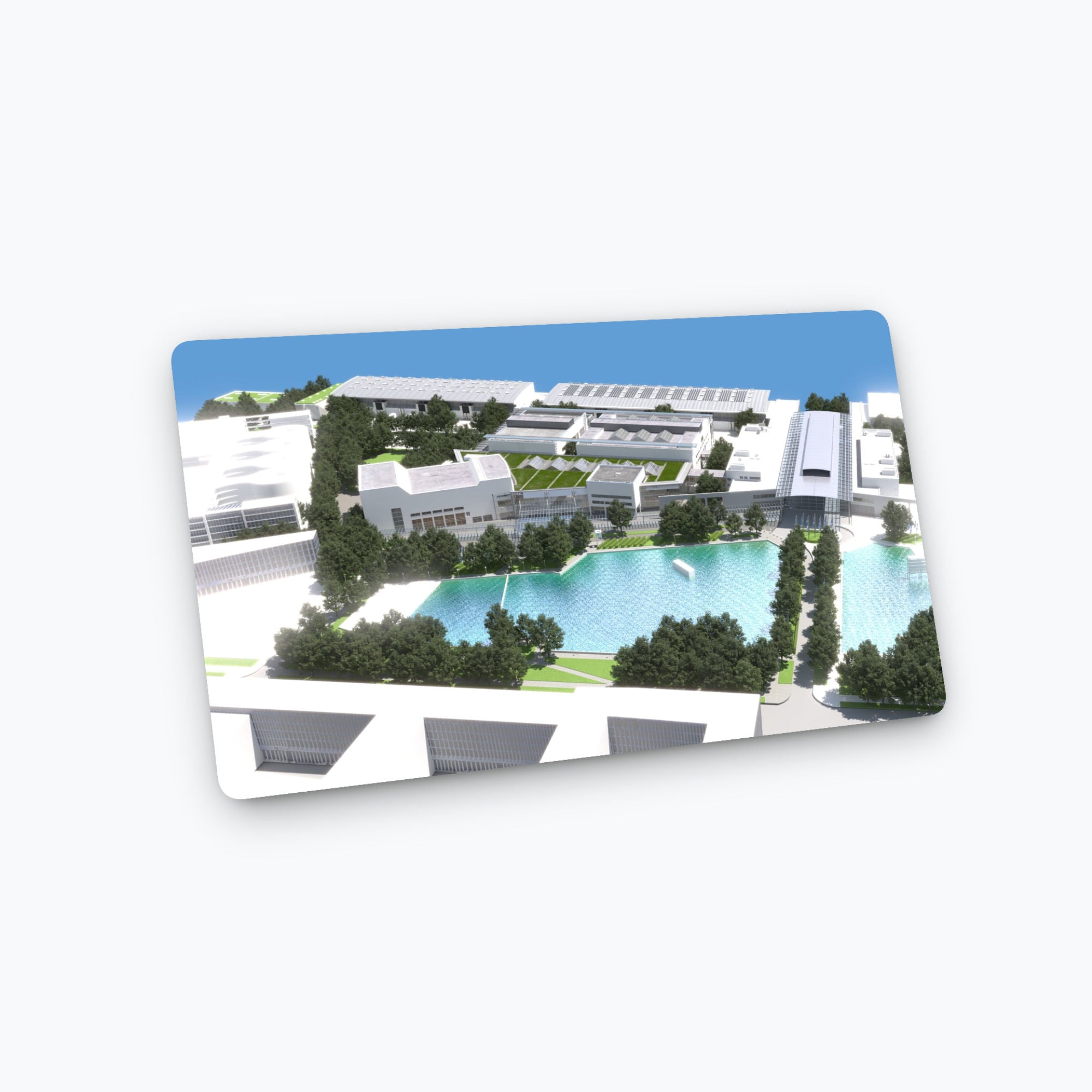
Historic buildings, protected monuments, and public institutions operate under constraints that no other location type shares - restricted hours, limited capacity, physical barriers, conservation requirements.
A 3D Digital Twin opens them without opening the doors. For event sales, for public access, for educational use, for conservation documentation.
The building stays protected. The experience becomes permanent.
QUESTIONS WORTH ASKING
FAQs
The most common are answered below. For anything more specific - scope, timeline, a particular location type - the fastest route is a direct conversation.
What does a project cost?
Projects start at €490 net plus VAT for locations up to 200 m² in Berlin, including travel, the scan, basic post-production, and the first year of hosting. Larger locations are quoted by floor area, purpose and scan days. For the first project, no commitment required.
How long does a scan take?
About an hour and a half for a small space below 200 sqm, one or two days or more for a full congress center or exhibition hall. Send us a floor plan and we'll give you a precise number before anything is booked.
Can I download and self-host the tour?
Matterport is cloud-based - the tour runs on their platform, not a downloaded file. If you need full data sovereignty on European servers, that's what our self-hosted option is for. → Check out Self-Hosted
How do I get started?
Book a call or send us a message with a floorplan or description what shall be scanned - that's enough to get a first estimate. Most pilot projects are scanned and live within a couple of days. → Start A Project
PRICING
It starts with a Scan.
Every project includes: preparation call & use case audit · on-site scan · travel (Berlin) · basic post-production · 1 year hosting.
- ≤ 200 m² — €490
- ≤ 350 m² — €690
- ≤ 500 m² — €890
- ≤ 750 m² — €1,090
- ≤ 1,000 m² and above - On request
All prices net plus VAT.